
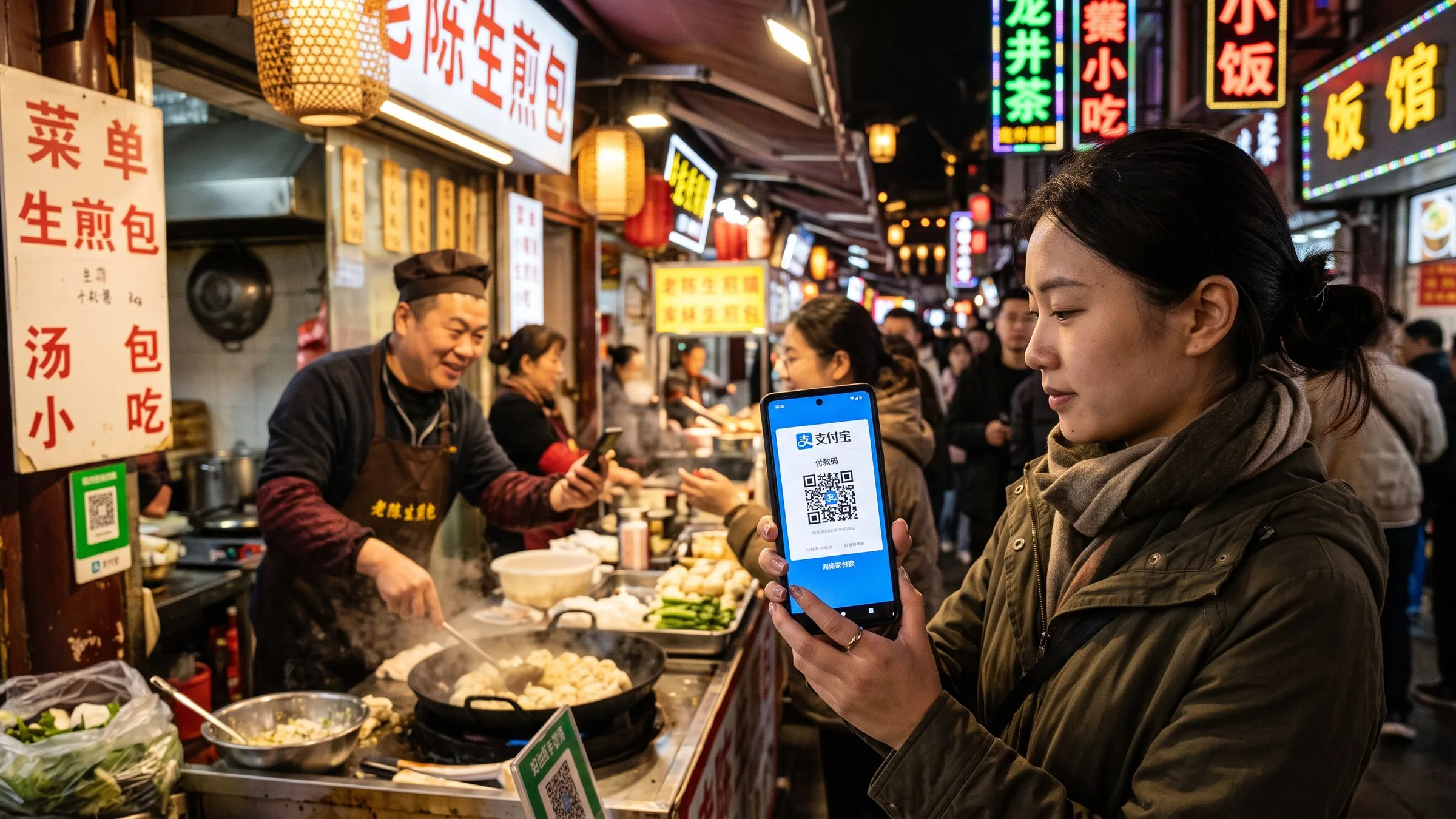
Alipay 외국인 설정 가이드 2026: 한국 카드로 결제하는 5단계
Alipay(알리페이)를 한국 신용카드/체크카드로 설정하는 단계별 가이드. 여권 인증, 5% 수수료, 50,000달러 한도, 200위안 면제 규칙, TourCard 백업 옵션.
Alipay 외국인 설정 가이드 2026: 한국 카드로 결제하는 5단계
TL;DR
Alipay를 한국 비자/마스터카드로 설정하는 데 5-10분이면 충분합니다. 여권 인증, 한국어 인터페이스, 200위안 이하 무료 + 200위안 초과 시 3% 수수료, 연 50,000달러 한도. 작은 가게는 TourCard 사용 권장.
왜 Alipay인가
중국의 모바일 결제 시장 점유율:
- 알리페이(Alipay): 54%
- 위챗페이(WeChat Pay): 40%
- 유니온페이(UnionPay): 3%
- 기타: 3%
중국 가게의 90% 이상이 두 가지 중 하나를 받습니다. 둘 다 설정해두면 99% 결제 가능합니다.
한국인에게 특히 중요한 점
- 한국 비자/마스터카드/카드K/카카오뱅크: 대부분 등록 가능
- BC카드/우리카드 등 국내 전용 카드: 비자/마스터카드로 발급된 경우 등록 가능, 아닌 경우 Wise/Revolut 멀티커런시 카드 권장
- 해외 결제 수수료 0 카드: Wise, Revolut, 토스 멀티커런시 (토스의 경우 USD 잔액 충전 후 결제)
- 한국어 인터페이스: 한국 App Store/Google Play에서 다운로드 시 자동으로 한국어 표시
Before you start: gather these items
You will need:
- A smartphone (iOS or Android). A 2-year-old phone is fine.
- Your Korean passport, with at least 6 months of validity remaining. (If your passport is about to expire, renew before your trip.)
- A Korean credit or debit card from Visa, Mastercard, or JCB network. Most Korean-issued cards are Visa/Mastercard and work. The card’s name MUST match your passport name exactly — including middle name. If your Korean card has a Korean-only name, the bank may issue a supplementary Latin-character card.
- A Korean mobile number that can receive SMS. Alipay uses SMS to verify your identity.
- Stable home Wi-Fi — not the airport, not the hotel. Alipay will refuse the setup if you are on a VPN.
Setting up Alipay from the Seoul airport or your Shanghai hotel Wi-Fi is the most common reason foreigners fail the setup. Do it at home, on your own Wi-Fi, with VPN off. The whole process takes 5-10 minutes if you have your passport and card ready.
Step 1: Download Alipay outside China
In the App Store (iOS) or Google Play (Android), search for Alipay. The developer should be “Alipay (Hong Kong) Holding Limited” or similar. Download it.
Important: Download it BEFORE you fly to China. Once you’re on Chinese mobile networks, the App Store and Google Play both work normally, but downloading a fresh app requires SMS verification that’s easier on your home network.
If you already have Alipay from a previous China trip, update it. The 2023+ version has the foreign-card flow; older versions don’t.
Step 2: Register with your Korean phone number
Open Alipay. Tap Register (or “Sign Up” in older English versions). The app auto-detects your location — in Korea, it’ll show the Korean interface. The phone number field shows a country code dropdown; pick +82 for Korea. Enter your Korean mobile number (without the leading 0 — so 010-1234-5678 becomes 821012345678 in the field).
Alipay will SMS a 6-digit verification code to that number. Enter it within 60 seconds. Then set a password (6+ characters).
Step by step
-
한국에서 Alipay 앱 다운로드 + 한국어 인터페이스
App Store / Google Play에서 'Alipay' 검색. 한국에서는 자동으로 한국어 인터페이스가 표시됩니다.
-
한국 휴대폰 번호로 가입 + 여권 인증
한국 번호(010)로 가입, SMS 인증 코드 입력, 여권 OCR 스캔, 6개월 이상 유효한 여권 필요.
-
한국 비자/마스터카드 등록
내 → 은행 카드 → + → 비자/마스터카드 정보 입력, 카드사 SMS 인증, 인증 완료까지 2-3분.
-
200위안 면제 + 50,000달러 한도
200위안(약 38,000원) 이하 결제 수수료 면제. 200위안 초과 시 3% Alipay 수수료. 연 50,000달러 한도.
-
TourCard 백업 설정(작은 가게용)
TourCard 활성화 시 5% 수수료 + 10,000위안 한도. 개인 QR 코드(노점상)도 결제 가능. 비상 시 백업.
FAQ
-
Alipay에 한국 카드를 등록할 수 있나요?
네. 비자/마스터카드/JCB가 지원됩니다. 국내 카드(BC카드 등)의 경우 비자/마스터카드로 발급된 경우 대부분 등록 가능합니다. 한국카드/카카오뱅크 체크카드는 일부 지원됩니다. -
200위안 초과 시 3% 수수료 외에 추가 비용이 있나요?
발급사(한국 카드사)에서도 해외 결제 수수료 1-1.5%를 부과할 수 있습니다. 무해외 수수료 카드는 Wise, Revolut 같은 멀티커런시 카드를 사용하세요. -
여권 인증에 실패하면 어떻게 하나요?
여권을 어두운 무광택 표면에 놓고 OCR을 돕습니다. '외국인/해외 거주자' 신분증 유형을 정확히 선택하고, 여권에 적힌 그대로 정확히 입력(미들네임 포함). -
모든 중국 가게에서 Alipay 결제가 가능한가요?
대부분의 가게(식당, 편의점, 택시, 명소 입구)에서 가능합니다. 다만 개인 QR 코드(길거리 노점상 등)에는 Alipay TourCard가 필요할 수 있습니다. 현금 ¥500-1000 비상용으로 준비하세요. -
Alipay 설정 시 VPN을 사용해야 하나요?
아니요, 사용하지 마세요. Alipay와 WeChat Pay는 IP 주소를 확인하며, VPN 사용 시 결제가 실패할 수 있습니다. 한국 집 와이파이에서 설정하세요.
Related guides
-
중국에서 알리페이(Alipay) 계정 잠김 또는 동결 2026: 4단계로 복구하는 방법
알리페이 계정이 잠겼거나 동결되었습니다 — 이제 어떻게 하나요? 2026년 4단계 복구 절차: (1) 잠금 원인 파악, (2) 올바른 서류 제출, (3) 22-56시간 대기, (4) 예방. 12건의 문서화된 사례에서 얻은 실제 복구 시간. 빈도순으로 정렬된 5가지 잠금 원인: 첫 번째 큰 거래, 리스크 컨트롤 플래그, 의심스러운 가맹점, 이름 불일치, 연령 확인. 잠금의 90%를 방지하는 4가지 예방 규칙 추가.
-
2026년 중국 현금 vs 카드: 외국인들이 놓치는 혼합 결제 현실 (그리고 ATM 7% 함정)
중국은 2026년 외국인 방문객에게 완전히 무현금 사회가 아닙니다. 도시 상인의 90%가 알리페이/위챗페이를 받지만, 소규모 행상인은 60%가 현금 전용이며, 외국 Visa/Mastercard 단말기는 중간 가격대+ 매장 60%에서 2.6-3.2% 할증료로 작동합니다. **ATM 인출: 4단계 수수료 구조는 총 6.75-12.75%** (BOC 정액 + FX + DCC 함정 + 네트워크 외). DCC(동적 통화 변환) 함정은 ATM 운영자가 'USD로 인출'을 수락하면 3-7% 숨은 마진을 챙기는 것입니다. 은행별 수수료 표, 8단계 ATM 플레이북, 그리고 2026년 DCC, Apple Pay, CNY 현금을 가장 저렴하게 얻는 방법을 다루는 4개 FAQ.
-
중국에 가져갈 현금은 얼마인가요 (그리고 어디서 환전하나요)
2026년 중국 여행에 가져갈 RMB 현금은 얼마인가요, 어디서 환전하나요(최고 환율), ATM vs 공항 카운터, 그리고 현금이 유일한 옵션인 상황은 언제인가요.