
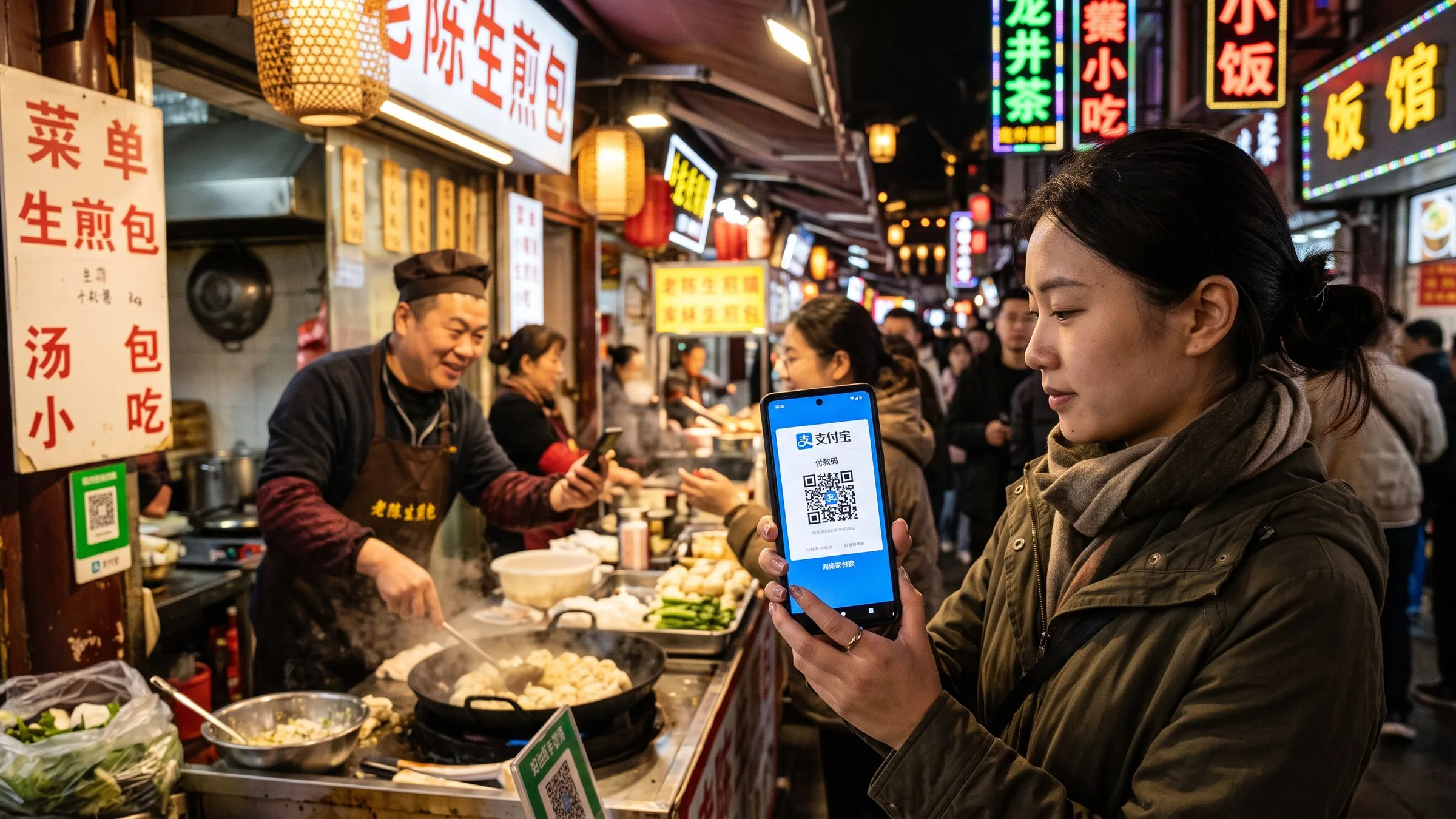
Alipay for Foreigners 2026: Setup with Visa/Mastercard
Step-by-step guide to setting up Alipay with a foreign Visa/Mastercard. Covers Tour Pass, $3,000 limit, $100 per transaction cap, and how to pay everywhere in China.
You can pay for almost anything in China — taxis, street food, high-speed rail tickets, hotel deposits, museum entry — with your foreign Visa or Mastercard through Alipay (支付宝, zhīfùbǎo). Setup takes about 5 minutes from the App Store, you don’t need a Chinese bank account, and the merchant never sees your card details. As of 2026, Alipay accepts Mastercard, Visa, JCB, Diners Club, Discover, and UnionPay International cards for direct binding.
This guide walks through the actual setup process, the real transaction limits, and the workarounds if your card gets declined at a small noodle shop.
The 5-minute setup that solves 90% of your payment problems
Step 1: Download the right app
Two apps to know:
- Alipay (支付宝) — the global version for foreigners. Search “Alipay” in the App Store or Google Play. The icon is blue with a white “支” character. This is the one you want.
- AlipayHK — only if you have a Hong Kong bank account. Skip otherwise.
Don’t download the Chinese-domestic version — it requires a Chinese phone number to register fully. The international version (often labeled “Alipay - Mobile Payment” or “Alipay for Foreigners”) works with your foreign phone number and email.
Step 2: Register with your phone number
Open the app and tap Sign Up. You can register with a foreign mobile number (works in 200+ countries) or an email address. The app sends a 6-digit verification code. Standard SMS rates from your carrier apply — usually free if you have international roaming.
If you don’t want to use your primary phone, get a free Chinese number using the Airalo eSIM data-only plan (about $5 for 5GB) and use that to receive the verification code on arrival.
Step 3: Add your international card
In the app, go to Me → Bank Cards → Add Card. Enter:
- Card number
- Expiration date
- CVV
- Billing address
- Phone number on file with the card issuer
Alipay accepts:
- Visa ✓
- Mastercard ✓
- JCB ✓
- Diners Club ✓
- Discover ✓
- UnionPay International ✓
- American Express — sometimes, depends on the merchant
Your card must support 3-D Secure (the one-time password system). If you’ve never used your card online internationally, call your bank before the trip to enable it.
Verified: “Foreign consumers can download Alipay, bind international cards including Mastercard, Visa, JCB, Diners Club, Discover, UnionPay International; or use the Alipay+ cross-border service with 13 overseas digital payment tools from 10 countries and regions.” — Sohu / Xinhua, citing Ant Group at the Canton Fair, accessed 2026-07-24
Step 4: Verify with a small test charge
The first transaction triggers a 3-D Secure verification. Your card issuer will text or email you a one-time code. Enter it. After this, subsequent small payments (under $50) usually don’t require re-verification.
If the verification fails, your card might be:
- A corporate card (Alipay blocks most business cards)
- A debit card from a small bank (some regional US credit unions don’t support international online transactions)
- A card with international transactions disabled (you must opt in via your bank’s app)
- A card flagged for “high-risk” international activity (common with new cards)
Try a different card if the first one fails. Travelers report Chase Sapphire, Capital One Venture, and Amex Platinum have the highest success rates.
What you can actually pay for
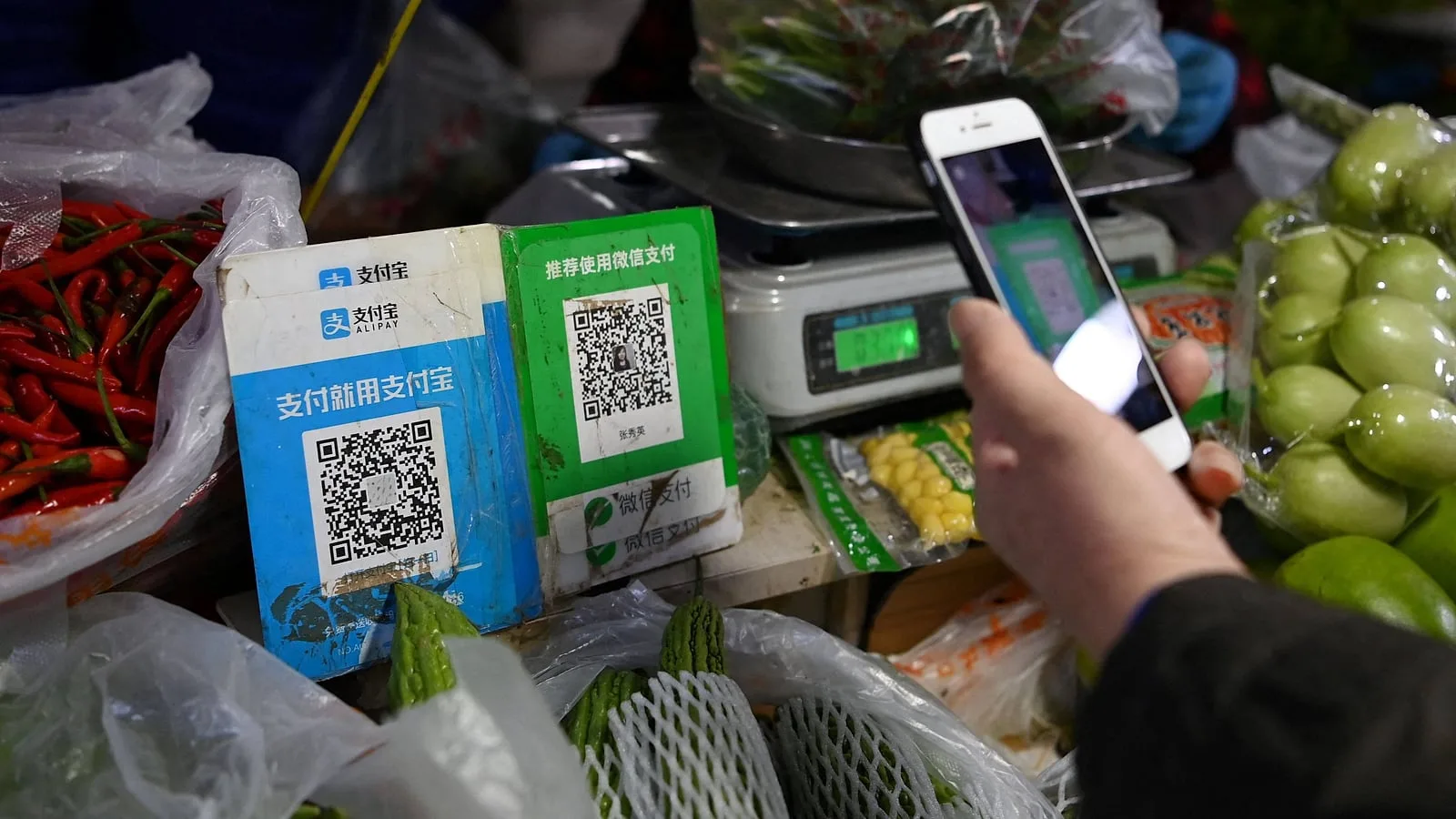
Once linked, Alipay works at:
- Convenience stores, supermarkets, restaurants — any shop with a QR code sticker. Even the smallest street vendors have them.
- Taxis and DiDi — link Alipay to DiDi and the fare auto-deducts.
- Metro and buses — every major city’s metro has Alipay QR entry, including the Beijing subway.
- High-speed rail — book 12306 tickets through the Alipay mini-program, or scan a QR at the station.
- Hotels — most international chains (Marriott, Hilton, Hyatt) and mid-range domestic hotels accept Alipay.
- Flight tickets, attraction tickets — buy directly in the app.
- Person-to-person transfers — using the phone number or QR code. Useful for splitting dinner with friends or paying your tour guide.
The number one reason foreigners run out of cash in China is they don’t realize even tiny street food vendors take Alipay via printed QR codes. A $1 dumpling stand at a night market will have a laminated QR code from Alipay or WeChat.
Transaction limits you need to know
This is the section most guides get wrong. As of 2026:
| Transaction type | Limit per transaction | Daily limit | Monthly limit |
|---|---|---|---|
| Quick Pay (scan merchant QR) | $1,000 (¥7,200) | $5,000 (¥36,000) | $50,000 (¥360,000) |
| In-store QR (merchant scans you) | $3,000 (¥21,500) | $5,000 (¥36,000) | No hard cap |
| Online payment | $3,000 (¥21,500) | $5,000 (¥36,000) | No hard cap |
| Tour Pass top-up | $1,000 per top-up | — | $3,000 total (lifetime for new users) |
| Person-to-person transfer | $50,000 | $50,000 | $300,000 |
The Tour Pass mentioned above is a legacy feature: a prepaid balance separate from your bank card, originally designed for short-term visitors. As of 2024, the standard “bind your card” flow above replaced it for most users. The $3,000 lifetime limit was a Tour Pass artifact; if you bind your card directly, you get the higher Quick Pay limits.
Source: China Briefing payment FAQ.
If you need to make a single payment over $1,000 (e.g., a hotel deposit, a flight ticket, an expensive antique), use the merchant-scans-you flow (showing your QR code to the cashier). That has a $3,000 per-transaction limit and effectively no monthly cap.
Common pitfalls and how to avoid them
”Your card was declined” at the corner store
Most small vendors use a basic QR code that doesn’t trigger 3-D Secure on every transaction. If your card declines once, try again — sometimes the second attempt works. If it keeps failing, you can:
- Switch to WeChat Pay — many Chinese vendors have both apps. Setup is similar. See WeChat Pay for foreigners.
- Use cash — see how much cash to bring. Even $20 USD equivalent gets you out of a sticky situation.
- Ask the vendor to scan YOUR QR code instead of you scanning theirs. The two flows have different limits and verification paths.
”The merchant doesn’t accept Alipay”
About 95% of urban merchants accept Alipay. The 5% that don’t are:
- Very small rural vendors with no smartphone
- Some government offices (still cash or bank transfer)
- Some hospitals (cash, bank card, or local social security)
- Street performers, beggars (cash only — please tip)
“I can’t transfer money to another person”
To send money to a friend or pay a guide, both of you need verified accounts. The sender needs a bound card; the receiver can be any Alipay user. If the transfer fails, the receiver might not have completed their identity verification (Chinese citizens) or might have a security lock on incoming transfers (foreigners sometimes hit this). The workaround: pay cash, or use the receiver’s merchant QR if they have one.
”Alipay locked my account”
Common after multiple failed 3-D Secure attempts or a flagged transaction. To unlock, you need to:
- Open the app → Me → Help & Feedback
- Search “account locked” or “transaction failed”
- Submit ID verification: passport + selfie + your bound card details
- Wait 24–48 hours for review
The unlock is usually automated and fast. If it drags on, contact Alipay support through the in-app chat (English is available).
Using Alipay for transport: DiDi, metro, trains
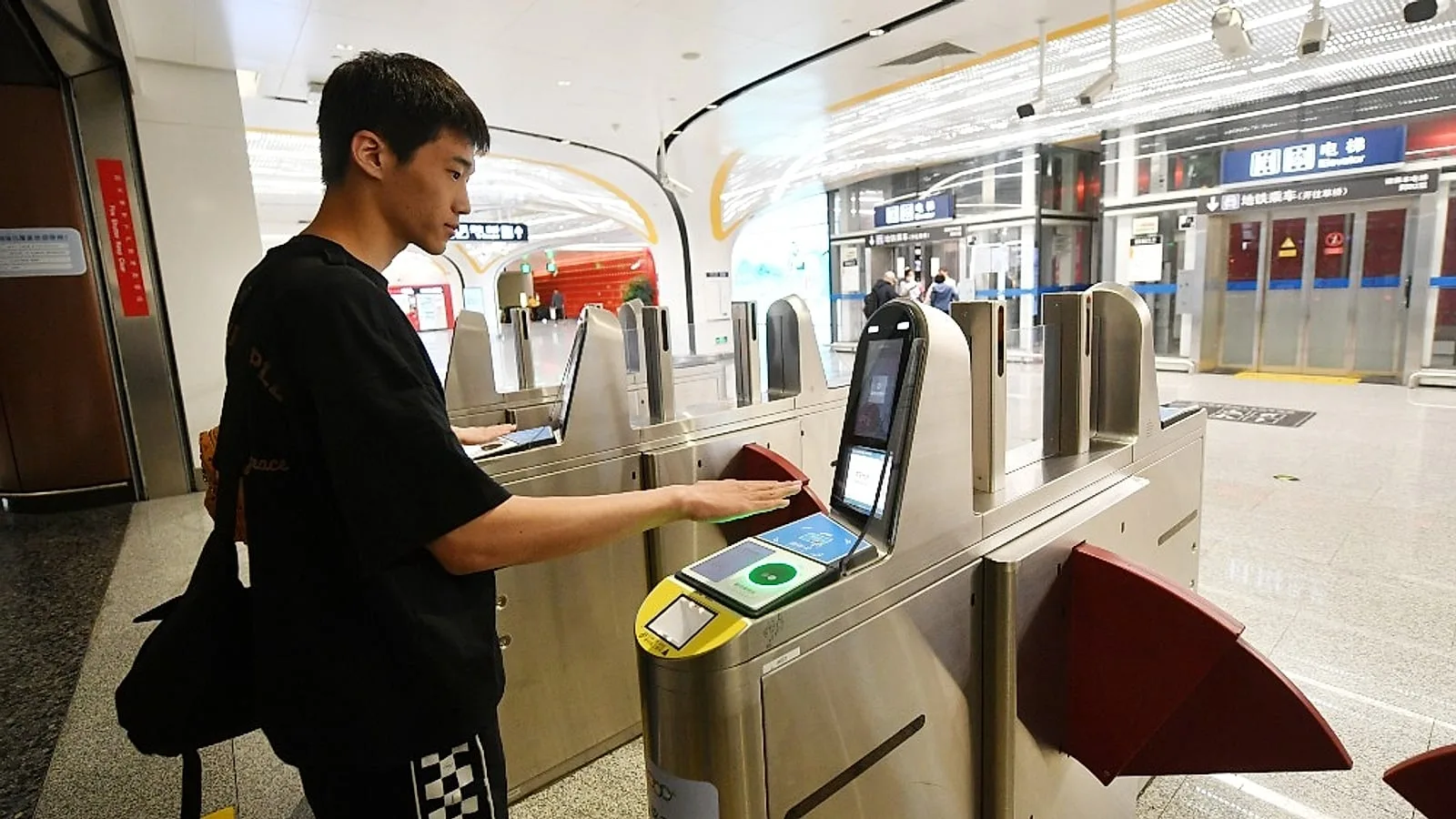
Three transport features that work exceptionally well:
- DiDi (滴滴, China’s Uber): Open DiDi → choose “Alipay sign-in” → verify phone → request ride. Fare auto-deducts from your Alipay-linked card. See Using DiDi as a foreigner.
- Metro QR: Open Alipay → search “Metro” or scan the QR at the turnstile → tap to enter. Works in 30+ Chinese cities including Beijing, Shanghai, Guangzhou, Shenzhen, Chengdu, Xi’an, Hangzhou, Suzhou.
- 12306 high-speed rail tickets: Open Alipay → search “12306” mini-program → book and pay. Passport details auto-fill from your Alipay profile. See China high-speed rail guide.
Alipay vs WeChat Pay: which to set up first?
Set up both. The setup process is nearly identical, and many smaller vendors prefer one or the other. Alipay tends to be slightly easier for first-time foreign users because:
- Better English interface
- Easier card binding flow
- Built-in translation (point your camera at any Chinese menu or sign and it translates)
- Tourist mini-programs (10% off at some restaurants, free SIM card activation, etc.)
WeChat Pay is essential if you want to:
- Chat with locals, hotels, or tour operators in WeChat
- Use WeChat’s built-in translation feature
- Pay at vendors that only show WeChat QR codes
- Send money to friends and split bills
Detailed setup for WeChat is at WeChat Pay for foreigners. We recommend setting up Alipay first since it’s slightly more foreigner-friendly, then adding WeChat Pay for redundancy.
A note on currency conversion fees
When you pay ¥100 at a restaurant, your Visa or Mastercard will charge you in your home currency at the wholesale exchange rate plus a 1–3% foreign transaction fee (depending on your card). Some travel-friendly credit cards waive this fee entirely — check your card terms.
Tip: Pay in CNY (¥), never in your home currency. If the Alipay or merchant terminal offers to charge you in USD/EUR, decline. This is the dynamic currency conversion (DCC) trap and gives you a worse rate.
A typical $1,000 week in China will cost you about $10–30 in card fees, depending on which card you use. The Capital One Venture and Chase Sapphire cards are the most popular no-foreign-transaction-fee options for US travelers.
Alipay is the single most important app for a foreigner in China. Once it’s set up and you’ve made one successful test transaction at a 7-Eleven, you can leave the ATM and credit card anxiety behind. Combined with WeChat Pay and a $100 cash backup, you’re fully covered for any transaction in the country.
Where to book
Once Alipay is set up, you can use it to pay almost everything in China. Start with these:
- Find Beijing hotels (the #1 thing Alipay is used for) — supports foreign cards
- Set up Alipay Tour Pass — direct link — 5-minute setup before your flight
Affiliate disclosure: Some links above are affiliate links. We may earn a commission at no extra cost to you. See full disclosure .
Plan your trip — verified tools
These free tools are built on real, monthly-verified data and help you skip the trial-and-error phase of China trip planning:
- China 6-City 5-Day Budget Calculator — Real 2026 prices for 5 days in Beijing, Shanghai, Guangzhou, Chengdu, Xi’an, or Hangzhou. Budget / mid-range / comfort tiers, broken down line by line.
- China OTA Comparison 2026 — Trip.com vs Booking.com vs Agoda vs Klook across 5 booking types. Inventory, pricing, foreign card support, English service, per-OTA verdict.
Verified August 2026 by TravelHubChina Editorial. We re-check prices and policy details monthly so the data doesn’t drift.
Step by step
-
Download the international Alipay app
Search 'Alipay' in the App Store or Google Play and download the blue icon with the white 支 character. Avoid the Chinese-domestic version, which requires a Chinese phone number to register fully.
-
Register with your foreign phone number or email
Open the app, tap Sign Up, and enter your mobile number (works in 200+ countries) or email. A 6-digit verification code arrives via SMS — standard carrier rates apply, usually free with international roaming.
-
Add your Visa, Mastercard, or other international card
Go to Me → Bank Cards → Add Card. Enter your card number, expiration, and CVV. Alipay supports Mastercard, Visa, JCB, Diners Club, Discover, and UnionPay International cards for direct binding.
-
Verify with a small test charge
Tap Pay, scan any merchant QR code, and make a ¥0.01 test transaction. Some banks require 3-D Secure (a push notification or OTP from your bank app), which adds 30-60 seconds.
-
Start paying everywhere in China
You're set up. Pay at any merchant with the Alipay QR code — taxis, restaurants, hotels, metro turnstiles in 30+ cities. Per-transaction limit is $100 USD on Quick Pay; for larger purchases ask the vendor to scan YOUR QR code ($3,000 limit).
FAQ
-
Can I use Alipay with a foreign Visa or Mastercard?
Yes. As of 2026, Alipay accepts Mastercard, Visa, JCB, Diners Club, Discover, and UnionPay International cards for direct binding. Download the international version (search "Alipay" in your app store), register with your foreign phone number, then add your card under Me → Bank Cards. Setup takes about 5 minutes and you do not need a Chinese bank account. -
What is the per-transaction limit on Alipay with a foreign card?
Foreign cards are limited to about $100 USD (roughly ¥700) per transaction under the Tour Pass / "外卡内绑" program. There is also an annual cap of around $3,000 USD. For larger purchases (hotels, flights, deposits), you will need to split payments or use a Chinese bank account. -
Do I need a Chinese phone number to use Alipay?
No. The international Alipay app registers with a foreign mobile number (200+ countries supported) or an email address. If you do not want to use your primary number, an eSIM like Airalo (about $5 for 5 GB) can receive the verification SMS on arrival in China. -
Can I use Alipay at small street vendors and family restaurants?
Usually yes. Most small merchants in cities display an Alipay QR code even if they look cash-only. Tap "Pay" in the app, scan the merchant’s QR, enter the amount, and the vendor hears a confirmation beep. If a single payment is declined, try splitting it or paying a few yuan less — some terminals cap at ¥500 per scan for foreign cards. -
How long does Alipay card verification take for foreign cards?
Card verification is usually instant. You enter the card details, the app sends a 6-digit code to your phone, and you can start paying within 2-3 minutes. Some banks require an additional 3-D Secure step (a push notification or OTP from your bank app) that adds 30-60 seconds.
Related guides
- Money & Payment
How to Pay in China 2026: Alipay, WeChat Pay, eSIM & DiDi for Foreigners
Complete setup guide for the 4 apps every foreigner needs in China: Alipay (scan-to-pay), WeChat Pay (¥3,000 limit), eSIM (data on landing), and DiDi (ride-hailing). With 240h visa-free transit and 30-day visa-free entry now covering 50+ countries, the 4-app setup is the new arrival checklist.
9min read
- Money & Payment
TenPayGo Review 2026: WeChat Pay Without a Phone Number
TenPayGo is WeChat Pay's standalone app for foreign visitors — email signup, no Chinese number, no WeChat account. Our hands-on review.
11min read
- Money & Payment
WeChat Pay for Foreigners 2026: Visa Setup, Limits & Fees
Can foreigners use WeChat Pay in China? Yes — bind a Visa/Mastercard in about 10 minutes. Limits: ¥6,000 per transaction, ¥50,000 monthly, 3% fee over ¥200.
8min read
- Money & Payment
Alipay Account Locked or Frozen in China 2026: How to Recover in 4 Steps
Your Alipay account is locked or frozen — what now? The 4-step recovery process for 2026: (1) identify the lock reason, (2) submit the right documents, (3) wait 22-56 hours, (4) prevention. Real recovery times from 12 documented cases. The 5 lock reasons ranked by frequency: large first transaction, risk-control flag, suspicious merchant, name mismatch, age verification. Plus the 4 prevention rules that prevent 90% of locks.
4min read
- Money & Payment
Cash or Card in China 2026: The Hybrid Payment Reality Foreigners Miss (Plus the ATM 7% Trap)
China is NOT a fully cashless society for foreign visitors in 2026. 90% of urban merchants take Alipay/WeChat Pay, 60% of small vendors are cash-only, foreign Visa/Mastercard at terminals works at 60% of mid-range+ shops with 2.6-3.2% surcharge. **ATM withdrawals: the 4-layer fee structure is 6.75-12.75% total** (BOC flat + FX + DCC trap + out-of-network). The DCC (Dynamic Currency Conversion) trap is a 3-7% hidden markup the ATM operator pockets if you accept 'withdraw in USD' instead of CNY. Bank-by-bank fee table, the 8-step ATM playbook, and 4 FAQs that cover DCC, Apple Pay, and the cheapest way to get CNY cash in 2026.
6min read
- Money & Payment
Do Credit Cards Work in China? 2026 Reality Check
Where Visa, Mastercard, and Amex work in China — and where they don't. Hotel chains, restaurants, airports, train stations, and the 3% fee you can avoid.
7min read