
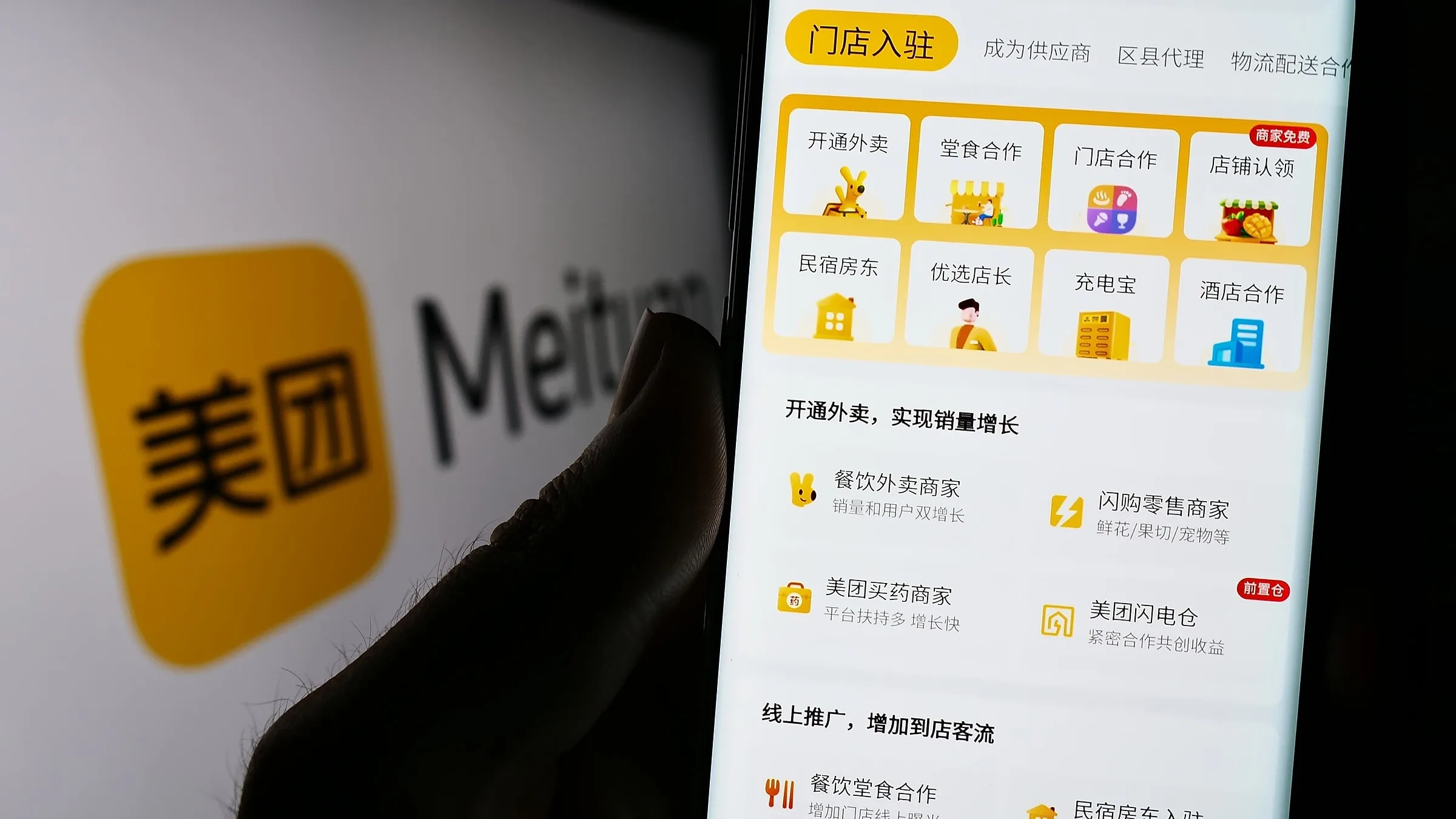
Meituan & Dazhong Dianping for Foreigners 2026
How to register Meituan (美团) and Dazhong Dianping (大众点评) as a foreigner in 2026 — find restaurants, order food delivery, book hotels, and get the same discounts locals use. No Chinese phone number required.
If you’ve spent any time in China, you’ve seen locals holding their phone up to a restaurant’s QR code on a sticker at the door. That sticker is almost always Meituan (美团) — the all-in-one super-app for food delivery, restaurant reviews, hotel booking, movie tickets, beauty appointments, and ride-hailing. Its sister app Dazhong Dianping (大众点评) is China’s Yelp — restaurant reviews, photos, and rankings used by 600+ million Chinese consumers every month.
Both apps work for foreigners in 2026. You don’t need a Chinese phone number. You don’t need a Chinese bank account. You don’t need to read Chinese (the in-app translation handles menus and reviews). This guide walks through the actual setup, what each app does best, and the real money-saving features that most tourist guides miss.
What Meituan and Dianping actually do
Meituan and Dianping are owned by the same company (Meituan, NYSE: 3690.HK) and the user accounts are linked. In practice:
| Use case | Best app |
|---|---|
| Order food delivery | Meituan (primary) or 美团外卖 |
| Find a good restaurant | Dianping (better reviews) |
| Book a hotel or homestay | Meituan |
| Buy a movie ticket | Meituan |
| Book a hair cut or spa | Meituan |
| Find a cafe with good wifi | Dianping (ranked by remote workers) |
| Book a train or flight ticket | Meituan |
| Get group-buy deals on restaurants | Meituan |
| See what’s open near me right now | Dianping (live queue times) |
The number to remember: about 70% of urban Chinese under 35 use Meituan weekly. It’s the default. Not using it is like visiting the US without Google Maps.
The 5-minute setup that works for foreigners
Step 1: Download the right apps
- Meituan (美团) — yellow icon with a kangaroo-like character. The English version is labeled “Meituan - Food & Travel” in the App Store. Works with foreign phone numbers.
- Dazhong Dianping (大众点评) — orange icon with “大众点评” characters. Search “Dianping” in the App Store. Also works with foreign phone numbers.
Both apps are available in the China App Store and Google Play international. Skip the domestic “Meituan Waimai” — it’s the food-delivery-only split app and harder to register with a foreign number.
Step 2: Register with your phone number
Open the app, tap Sign Up / 注册, enter your foreign mobile number (works in 200+ countries), and enter the 6-digit SMS code. Standard SMS rates from your carrier apply.
If you don’t want to use your primary phone, get a free Chinese number using the Airalo eSIM data plan and use that to receive the verification code on arrival.
You can also sign in with WeChat — if you already have WeChat set up, this is faster. See WeChat Pay for foreigners for the WeChat setup.
Step 3: Add a payment method
In the app, go to Me → Wallet (我的钱包) → Add Card (添加银行卡). You have three options:
- Link a foreign Visa/Mastercard directly — works in Meituan for food delivery, hotels, movie tickets. Same 3-D Secure flow as Alipay.
- Pay via Alipay — if you already have Alipay set up (see Alipay for foreigners), you can connect Alipay as the payment source in Meituan. This avoids the second card-linking step.
- Pay on delivery with cash — yes, cash on delivery is still an option for food delivery in 2026. Useful if your card is being rejected.
Step 4: Set your location and language
Meituan defaults to the Chinese interface. To switch to English:
On iOS: Me → 设置 (Settings) → 语言 (Language) → English. The app reloads.
On Android: Me → 设置 → 多语言 → English.
The English version is partial — some restaurant reviews, photos, and menu items are still in Chinese. Use the in-app camera translation (point your camera at any Chinese menu) to translate on the fly. This works offline if you’ve downloaded the translation pack ahead of time.
Set your location: Allow location services when prompted, or manually enter your hotel address in Chinese. Get the address in Chinese from your hotel confirmation email — your hotel will have a Chinese address like “北京市东城区王府井大街23号” that you can paste.
How to find great restaurants with Dianping
Dianping is more useful than Google Maps for food in China because:
- Real-time queue length — tells you if a restaurant has a 30-minute wait right now
- Verified reviews with photos — Chinese users upload hundreds of photos per restaurant
- Ranking by category — “best hotpot under ¥100”, “best xiaolongbao within 1km”, “best coffee with wifi”
- Group-buy deals — Dianping negotiates set-menu prices that are 30–50% off walk-in
- Restaurant details — opening hours, average cost per person, English menu available?, reservation link
Search workflow
- Open Dianping
- Tap 美食 (Food) or search bar
- Enter the dish or cuisine (e.g., “火锅 hotpot” or “小笼包 xiaolongbao”)
- Tap 附近 (Nearby) to filter by location
- Sort by 好评 (Best reviews) or 人气 (Most popular)
- Read 2–3 reviews in English (filter for English reviews — most won’t have any, but the photos are universally useful)
- Tap the restaurant → check 人均消费 (average spend per person) — this is your real-time price guide
For 90% of restaurants, the Dianping average spend per person is the most accurate price indicator you’ll find. It updates in real time based on recent user check-ins.
The “大众点评必吃榜” (Dianping Must-Eat List)
Each year Dianping publishes its “Must-Eat List” (必吃榜) — a curated ranking of the top ~1000 restaurants in major cities, selected by user review data. These are reliable picks. Look for the 必吃榜 badge on a restaurant page.
For 2026, the lists cover Beijing, Shanghai, Guangzhou, Shenzhen, Chengdu, Hangzhou, Xi’an, Wuhan, Nanjing, Suzhou, Changsha, Qingdao, Tianjin, and 30+ other cities.
How to order food delivery with Meituan
Step 1: Open Meituan → tap 外卖 (Delivery)
The home screen has a row of category icons. Tap 外卖 / Delivery (the second icon, usually a takeout bag or food bowl).
Step 2: Browse or search
- The default view shows nearby restaurants sorted by delivery time
- Filter by rating, distance, average price, or delivery fee
- Search by dish name (e.g., 麻辣烫 málàtàng, 奶茶 milk tea, 饺子 dumplings)
Step 3: Build your cart and pay
- Tap a restaurant → browse the menu (most menus have English translations in the in-app camera, but the menu itself is in Chinese)
- Add items to cart
- Apply any 优惠券 (coupon) or 满减 (spend-X-get-Y-off) discount
- Choose delivery address (your hotel) and pay
Delivery typically takes 25–45 minutes for a 3 km radius. Delivery fee: $0.30–$1.50.
Meituan vs Ele.me
Ele.me (饿了么, also owned by Alibaba) is the other major food delivery app. In most cities, Meituan has more restaurant coverage and faster delivery. Ele.me has slightly better international restaurant options. Install both if you’re a heavy delivery user.
How to handle “no English menu”
Almost no Chinese restaurant has a printed English menu. Three workarounds:
- Meituan/Dianping camera translation — point your phone at the menu, real-time translation
- Pleco or Google Translate camera — for menus outside the app
- Ask the restaurant to send a photo of the menu — Dianping lists a restaurant’s WeChat ID; send a message and ask for the menu in advance
Other Meituan features worth using
Hotel booking (美团酒店)
Meituan has 1.5+ million hotels and homestays on its platform. For budget and mid-range Chinese chains (Hanting, Home Inn, 7 Days, Jinjiang), Meituan often beats Trip.com and Booking.com by 10–20%. For international chains (Marriott, Hilton), Trip.com is usually cheaper.
Always check all three platforms before booking a hotel in China.
Movie tickets (猫眼电影 / 猫眼演出)
Meituan owns Maoyan (猫眼), the dominant movie-ticket platform. Tickets are typically 30–50% off walk-in. The interface is fully in Chinese — get help from a local or use camera translation to pick seats.
Beauty and spa appointments (丽人 / 美业)
Haircuts, manicures, massages, spa packages — Meituan has group-buy deals for almost every salon. Use Dianping’s 美容 / Beauty category to find English-friendly salons (look for ones with a foreign-friendly tag in the reviews).
Group buying (团购)
Meituan’s 团购 (group buying) is the killer feature: a restaurant or service offers a deeply discounted set menu or service in exchange for guaranteed volume. You buy the voucher in the app, then show it at the venue.
Examples of typical deals (as of 2026):
- 3-course Peking duck dinner for two: ¥168 (regular ¥280)
- 90-minute deep tissue massage: ¥158 (regular ¥280)
- Hotel buffet breakfast for one: ¥48 (regular ¥88)
Always check the validity period and booking requirement before buying.
Meituan tips and tricks
1. The “新人” (new user) deals
New Meituan accounts get up to ¥100 in coupons over the first 30 days, across food delivery, hotels, and entertainment. This is by design — Meituan wants you hooked. Set up the app the day you arrive in China and use the new-user deals on day 2–3 when you know what you want.
2. The “限时秒杀” (flash sales)
The home screen has a “限时秒杀” (flash sale) section with deep discounts that change every 2 hours. Hotel rooms, restaurant set menus, attraction tickets — check daily. The best deals sell out in 5–15 minutes.
3. Use 11am and 5pm for lunch/dinner delivery
Lunch delivery (11am–12pm) and dinner delivery (5pm–6pm) are the peak rush. Delivery fees spike. Order at 10:30am for a lunch slot, or after 1pm for a late lunch — same food, lower delivery fee, faster delivery.
4. The “附近” (nearby) tab
If you don’t know what you want, tap 附近 (Nearby) on the home screen. Meituan shows you the highest-rated restaurants within 1 km of your current location, sorted by “trending now” (实时热门). This is the best way to find a hidden gem in a new city.
5. Apply the “学生优惠” (student discount) if you have an ISIC card
ISIC (International Student Identity Card) holders get an extra 5–10% off select restaurants via Meituan’s student program. Worth setting up if you have one.
Common pitfalls and how to avoid them
”The delivery driver can’t find me”
Chinese hotels often have a back entrance or a unit number that the delivery driver can’t figure out. Two solutions:
- Set your delivery address to the hotel’s main entrance in Chinese characters. Get the exact Chinese address from the front desk.
- Use the WeChat message feature — when the driver is near, they call or message you. Have your hotel’s address saved in WeChat in advance, so you can copy-paste it to the driver.
”The restaurant is closed even though Dianping says it’s open”
Restaurant hours in China shift frequently. Dianping’s “营业中” (open) status isn’t always updated. Call ahead via the in-app 电话 (phone) button if it’s a critical booking.
”The card got declined”
Same as Alipay: corporate cards often fail. Try a personal Visa or Mastercard from Chase, Capital One, Amex, Citi, or HSBC. If all else fails, pay cash on delivery.
”The app is showing prices in CNY and I don’t know if it’s a good deal”
Set up the in-app currency display to show both CNY and USD. The setting is in Meituan’s Me → Settings → Currency Display (设置 → 货币显示). The exchange rate updates daily.
”The English version is missing some features”
This is true. The English interface has roughly 60% of the Chinese interface’s features. Some advanced group-buy deals, niche restaurants, and special promotions are only in Chinese. If you can’t find what you need in English, switch to Chinese mode and use the camera translation. The best deals require this.
When NOT to use Meituan
- Booking international chain hotels — Trip.com usually has better rates
- Booking flights — Trip.com is the same company and offers better English support
- Paying for high-end restaurants — most fine-dining restaurants don’t discount on Meituan; book direct
- Ordering from rural areas — Meituan coverage drops sharply outside tier-1 and tier-2 cities; check the app first
Meituan vs Alipay vs WeChat — what’s the difference
- Alipay is primarily a payment app with built-in mini-programs (including a Meituan mini-program)
- WeChat is a messaging app with built-in payment + mini-programs (including a Meituan mini-program)
- Meituan is a lifestyle service app with its own built-in payment
In practice, all three can do the same things. The difference is the interface and the deals:
| Use case | Best app | Why |
|---|---|---|
| Pay for stuff | Alipay or WeChat | Most universal, best merchant coverage |
| Order food delivery | Meituan | Better restaurant selection, deeper discounts |
| Find a good restaurant | Dianping | Better reviews, real-time data |
| Group-buy deals | Meituan | Largest selection |
| Book a hotel | Trip.com or Meituan | Depends on brand |
| Send money to a friend | Most-used for P2P in China |
Practical advice for foreigners: Set up Alipay first (for payment), then WeChat (for messaging), then Meituan (for delivery and deals). Dianping is the same login as Meituan — install both, but you really only need to actively use one.
FAQ
Do I need a Chinese phone number to use Meituan?
No. Your foreign mobile number works for SMS verification. You may occasionally be prompted for a second verification via Chinese carrier SMS — switch to your eSIM data number in that case.
Can I pay with a foreign credit card on Meituan?
Yes. Visa, Mastercard, JCB, Diners Club, and Discover are supported directly. American Express works on some merchants. Alipay-linked cards also work if Alipay is already set up.
Is Meituan available in English?
Yes, partially. The English version covers about 60% of features. The full Chinese version has more restaurants, more deals, and more features. Switch to Chinese + use camera translation for the most complete experience.
How much can I save on Meituan vs walk-in?
Group-buy deals and flash sales typically run 20–50% off walk-in prices. New-user coupons can stack on top — first-time users often get ¥50–¥100 off their first ¥150 order. The savings on a 7-day trip can easily total $50–$150.
Is Meituan safe?
Yes. Meituan is a NYSE-listed company (ticker MEO) with $100+ billion market cap. All transactions are escrow-protected. The delivery drivers are independent contractors but follow Meituan’s safety standards. Payment data is encrypted to the same standard as Visa/Mastercard.
Can I use Meituan without a Chinese bank account?
Yes. Foreign Visa/Mastercard, Alipay-linked cards, WeChat Pay, and cash on delivery are all supported. You don’t need a Chinese bank account for any Meituan feature.
Does Meituan work outside mainland China?
No. Meituan and Dianping only operate in mainland China. For Hong Kong, Macau, or Taiwan, use OpenRice, Yelp, or Google Maps.
What’s the difference between Meituan and Dianping?
Same company, different focuses. Meituan = delivery + group-buy + services. Dianping = reviews + rankings + discovery. The accounts are linked, so install both but use them for different purposes.
The 4-line answer
- Install both apps on day 1 of your China trip — Meituan for delivery and deals, Dianping for finding great restaurants.
- Use your foreign Visa/Mastercard directly, or link Alipay if you already have it set up.
- Browse the new-user coupons in the first 30 days — up to ¥100 in discounts.
- Use the group-buy (团购) section for sit-down restaurants — typical 20–50% off walk-in.
The local secret is out: every Chinese person uses these apps daily. As a foreigner in 2026, you can too. Within an hour of setup, you’ll have access to the same food delivery, restaurant reviews, group deals, and lifestyle services that 600 million Chinese consumers use every week.
Where to book
Once you've got Meituan and Dianping set up, you can find great local restaurants. But when you want to know if a fancy place is worth it, or if a particular dish is the real deal, check the Dianping Must-Eat List:
- Find a hotel near the best Dianping-ranked restaurants in your target city
- Book a domestic flight to a new food city (Chengdu, Xi'an, Guangzhou)
Affiliate disclosure: Some links above are affiliate links. We may earn a commission at no extra cost to you. See full disclosure .
Plan your trip — verified tools
These free tools are built on real, monthly-verified data and help you skip the trial-and-error phase of China trip planning:
- China eSIM Finder 2026 — Pick the right China eSIM in 30 seconds. Airalo vs Holafly vs Nomad with 2026 pricing, coverage by city tier, and a VPN firewall quick-reference.
- China 6-City 5-Day Budget Calculator — Real 2026 prices for 5 days in Beijing, Shanghai, Guangzhou, Chengdu, Xi’an, or Hangzhou. Budget / mid-range / comfort tiers, broken down line by line.
Verified August 2026 by TravelHubChina Editorial. We re-check prices and policy details monthly so the data doesn’t drift.
Step by step
-
Download Meituan International from your app store
Search 'Meituan' in the Apple App Store or Google Play. Install the international version (English UI, accepts Visa/Mastercard, ~150 MB). No Chinese app store needed. Download on Wi-Fi before departure so it works the moment you land. The international build is the one foreign reviewers mention; the Chinese version requires a Chinese phone number.
-
Register with your foreign phone or email
Open Meituan → tap the profile icon → Sign Up. Use a non-Chinese mobile number (+1, +44, +61, etc.) or your email. Verify via the 6-digit SMS code or email link. No Chinese ID, no Chinese bank account, and no Chinese phone number are required for basic use — registration works the same as for any global app.
-
Link a Visa or Mastercard in Wallet
Go to Me → Wallet → Bank Cards → Add Card. Enter your Visa/Mastercard number, expiry, CVV, and billing address. The card is verified with a 6-digit SMS code sent to your registered phone. After binding, you can pay for hotels, attraction tickets, food delivery, and group deals without WeChat Pay or Alipay.
-
Test with a small transaction on day 1
Order a ¥10-20 coffee, bubble tea, or convenience store item via Meituan delivery on your first day. This confirms your card is charged correctly, your address translates properly in the app, and your phone receives order updates. If the charge fails, you still have time to switch to Alipay or WeChat Pay for the rest of the trip.
-
Install Dazhong Dianping for restaurant reviews
Dianping (大众点评) is Meituan's sister app — same Meituan account, separate interface, and a much better restaurant review experience. Use Dianping to find restaurants near you, read user reviews, and view real food photos. Install Pleco or use the in-app camera translator to read Chinese-only reviews. Combine with Meituan for booking and payment.
FAQ
-
Can foreigners use Meituan in China?
Yes, but with friction. Meituan is the local super-app for food delivery, hotel booking, movie tickets, and local experiences. The international version (search "Meituan" in your app store) has an English UI and accepts Visa/Mastercard. It works in 2,800+ Chinese cities and is the only way to get food delivered to your hotel at 1 AM. -
What is Dazhong Dianping used for?
Dazhong Dianping (大众点评, "Dianping") is China’s Yelp — it has restaurant reviews, photos, menus, and user ratings. It is also owned by Meituan, so the apps are integrated. Dianping is the best for finding restaurants near you, reading reviews, and getting user-photos of the actual food (crucial since menu photos are often misleading). -
How do I pay on Meituan with a foreign card?
Add a Visa/Mastercard in Meituan → Me → Wallet → Bank Cards. The card is verified with a 6-digit SMS code. After binding, you can pay for hotels, movie tickets, attraction tickets, food delivery, and local experiences. Smaller in-app purchases (bike share, group deals) sometimes require Chinese WeChat Pay or Alipay. -
Is Meituan English-friendly?
Partially. The international version has an English UI for the main flows (search, restaurant list, hotel booking, food delivery). User reviews and restaurant descriptions are still in Chinese, so use Pleco or Baidu Translate to read them. Customer support in English is available for hotel and attraction bookings. For pure food delivery, the experience is mostly English-friendly.
Related guides
- Connectivity
What's Blocked in China 2026: Internet, WiFi, eSIM and VPN Reality
What actually works in China in 2026 and what does not: the roughly 80% of the internet you can use without a VPN, the sites that stay blocked, hotel WiFi vs mobile data, the legal position since 2023, and the VPNs that still connect.
10min read
- Connectivity
Best VPN for China 2026: 5 That Still Work (Tested Monthly)
Which VPNs actually work in mainland China in 2026? Tested monthly against the Great Firewall. ExpressVPN, Astrill, NordVPN, Mullvad, and Surfshark — the honest 2026 ranking with real performance data, setup instructions, and 3 mistakes that will get your VPN blocked at the border. China blocks 90% of VPN providers — the working 5% are tested here.
4min read
- Connectivity
Top 5 China eSIMs on Trip.com 2026: Pricing, Plans & What Travelers Buy
Real data on the 5 best-selling China-region eSIMs on Trip.com in 2026. Verified pricing, sales counts, and fast-selling badges from the Trip.com marketplace. Mainland China + Hong Kong + Macau only — no Asia or Japan fluff.
9min read
- Connectivity
Best eSIM for China 2026 (with VPN + Phone Number): Trip.com Top 5 Tested
Real-tested ranking of the 5 best-selling China eSIMs on Trip.com in 2026. Verified pricing, sales counts, and 'fast-selling' badge from the marketplace. All 5 run on China Mobile / China Unicom / China Telecom, all under $0.25/day. Mainland + HK + Macau only — no Asia or Japan fluff.
8min read
- Connectivity
China eSIM 2026: Trip.com vs Airalo vs Holafly vs Local SIM (Tested in Mainland China)
An independent 2026 comparison of 4 main options for getting mobile data in China: Trip.com marketplace eSIMs, Airalo eSIM, Holafly eSIM, and a China Unicom local SIM. Covers download/upload speeds, ease of setup, cost, hotspot support, app access (WhatsApp, Google, Instagram), and reliability across Beijing, Shanghai, Chengdu, and Tibet. Verified pricing 2026-08-12.
8min read
- Connectivity
How to Set Up a China eSIM in 2026: iPhone & Android Step-by-Step (Trip.com Top 5)
Activate a China eSIM in 5 minutes before you fly. iPhone 15/16 and Android setup, APN config, and what to do if it won't connect on landing. Uses Trip.com's 5 best-selling China eSIMs (Mainland/HK/Macau from $0.17/day) with verified affiliate links.
7min read